 iDigi
iDigi
What iDigi does, and how it does it.
Twelve digital modes, a waterfall and image browser built for them, Hamlib rig control, and logging that reaches the services and applications you already run — in one native Mac application.
Decoding
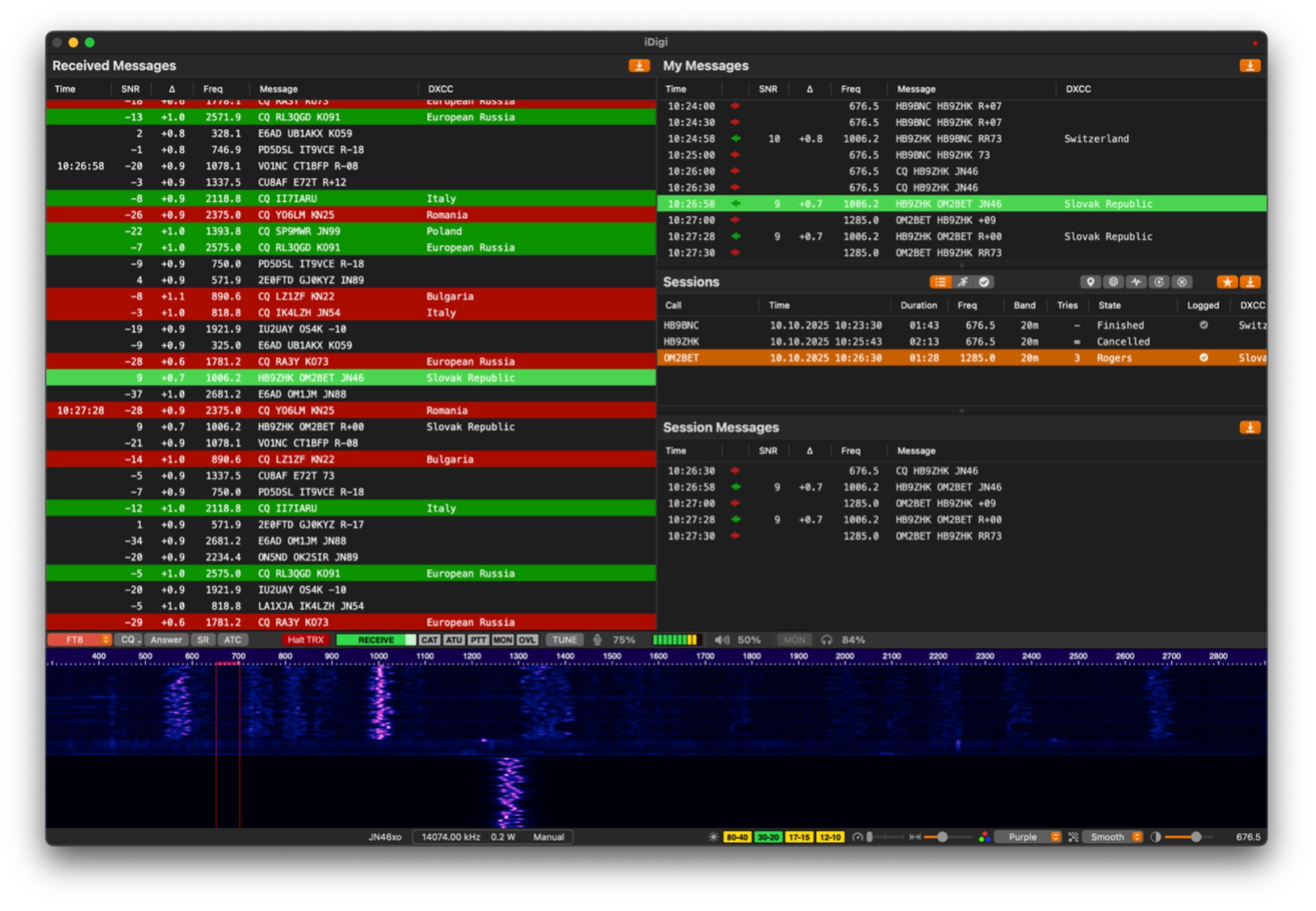
Signal processing runs on Apple's Accelerate framework, so a full passband decodes quickly and without draining the battery on a portable setup.
FT4 and FT8 decoder performance is now on par with WSJT-X. The CW decoder was rebuilt and is 50 to 60 percent more accurate than its predecessor — state of the art on weak and hand-sent signals. SSTV detects VIS codes as the transmission begins and picks the mode for you.
Visual tools
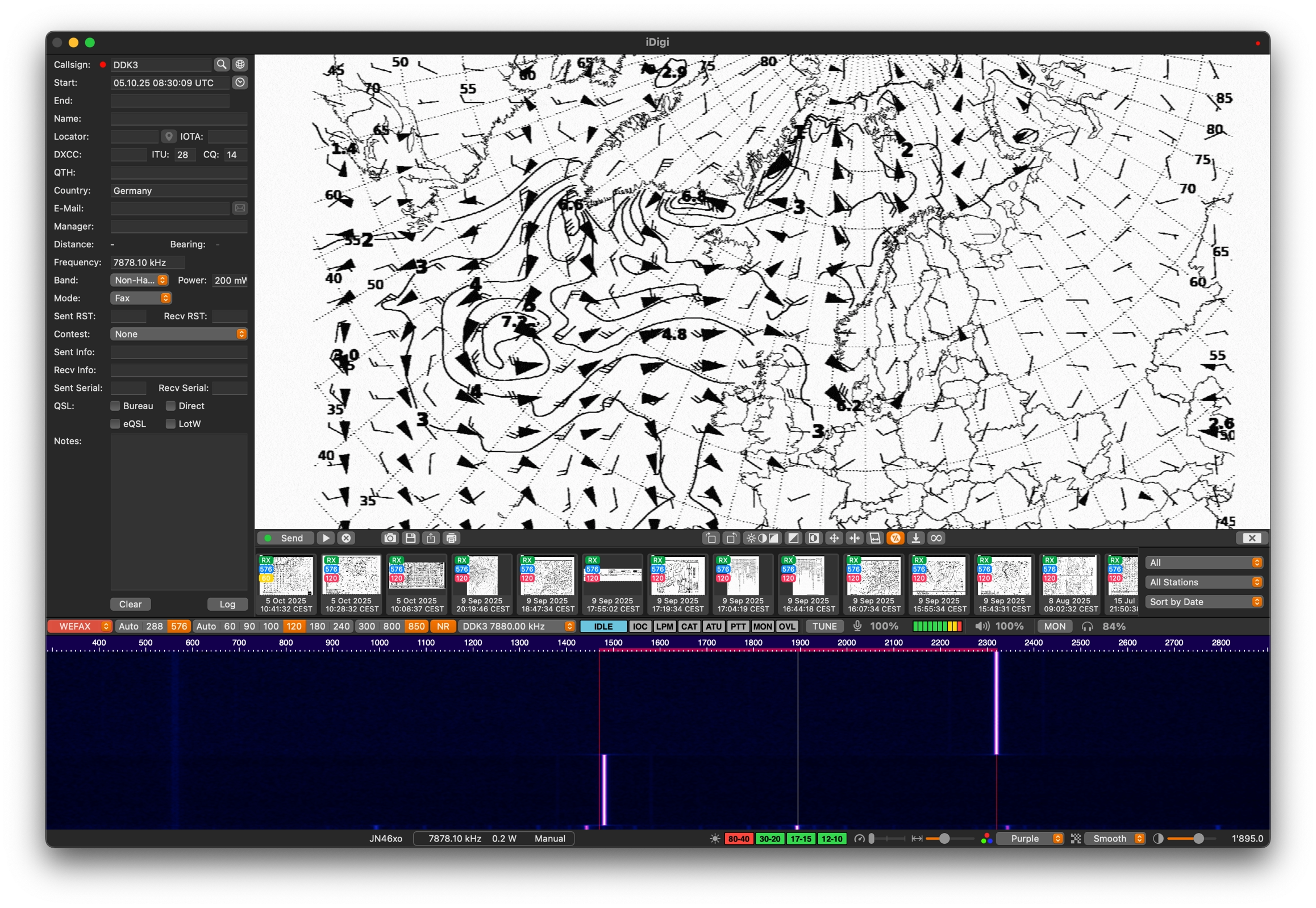
The waterfall has adjustable speed, width, contrast, smoothing and colour themes, so a crowded band and a quiet one can each be read comfortably.
The image browser holds everything received and transmitted, with filtering, sorting and export. The interactive map draws propagation paths, received reports and global WSPR activity as they come in. Image modes carry live slant, offset and correction controls while the picture is still drawing.
Rig control
Hamlib drives virtually any CAT-capable transceiver, over serial or over the network. Frequency presets and band management come configured, so switching mode and band is one action rather than five. PTT, frequency and mode stay in step with the application.
Built for macOS
Native Core Audio for input and output, Core Image for rendering received pictures, and a universal binary for Intel and Apple Silicon. Requires macOS 12.4 or later.
Logging
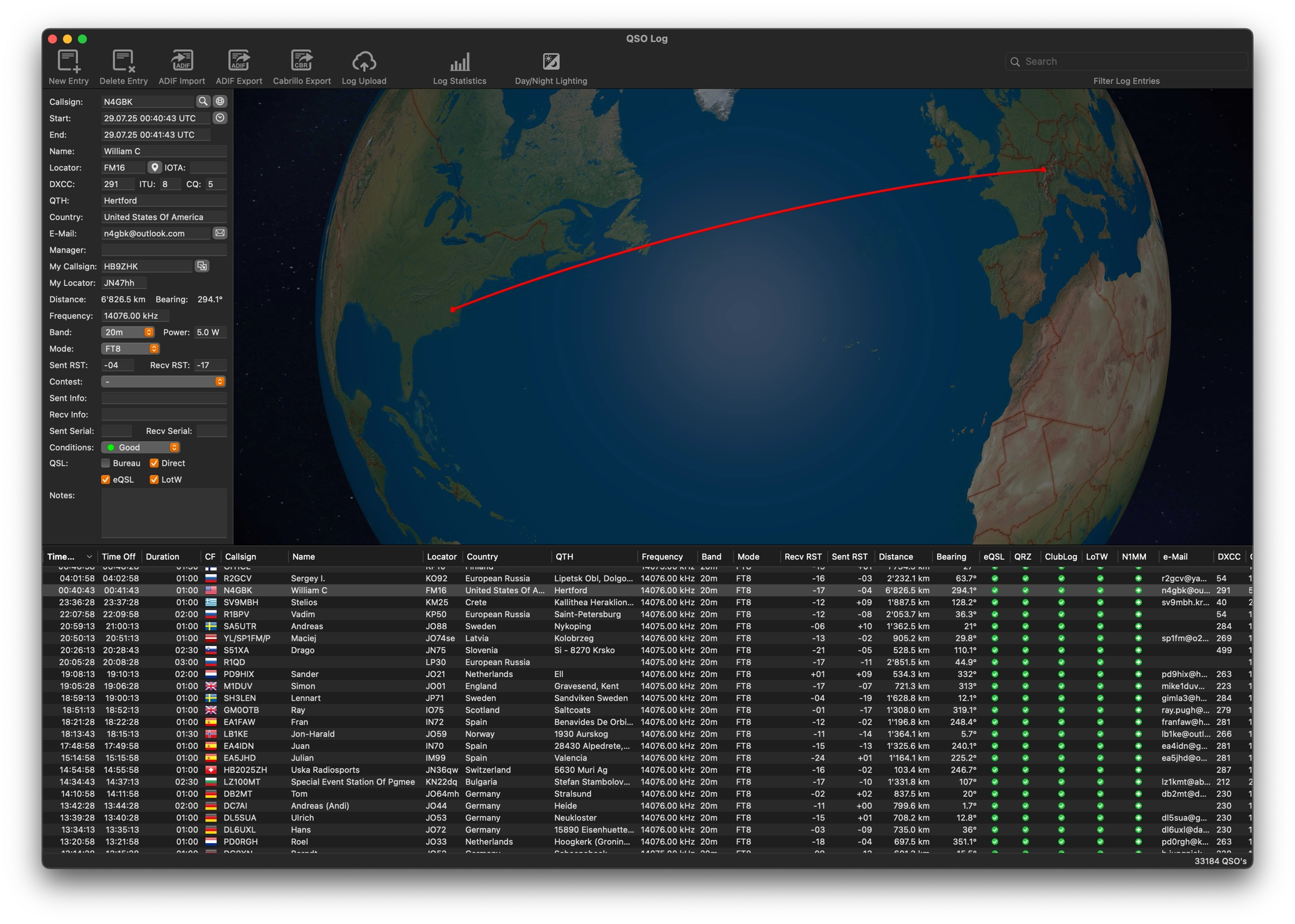
Every QSO lands in iDigi's log window, with callsign and station details filled in from QRZ.com or HamQTH as the contact is made.
From there contacts transfer automatically to your usual logger and upload to the confirmation services you use — locally or across your LAN.
Integrations
Logging
MacLoggerDX
RUMLogNG
GridTracker2
JT-Bridge
Any N1MM-compatible logger
QSO uploads
LoTW
QRZ.com
eQSL
Clublog
Wavelog
Lookups
QRZ.com
HamQTH
Rig control
Hamlib, over serial or network — virtually any CAT-capable transceiver
Spotting
Real-time spot display with GridTracker2 and JT-Bridge
Image galleries
Automatic FTP upload of received SSTV and WEFAX images to your own site
Modes at a glance
Every mode shares the same waterfall, the same rig control and the same log.
| Mode | Receive | Transmit | Notes |
|---|---|---|---|
| SSTV | Yes | Yes | Full VIS code support, automatic alignment, slant correction |
| FT4 · FT8 | Yes | Yes | Decoder performance on par with WSJT-X |
| WSPR | Yes | Yes | Propagation reporting on the interactive map |
| WEFAX | Yes | Yes | Live slant, offset and image correction |
| CW | Yes | Yes | Rebuilt decoder, 50–60% more accurate than the previous one |
| MFSK | Yes | Yes | Decodes Shortwave Radiogram text and image broadcasts |
| Olivia · Contestia | Yes | Yes | Robust keyboard modes for noise, fading and interference |
| RTTY | Yes | Yes | Automatic CAT control and frequency presets |
| PSK · QPSK | Yes | Yes | PSK31, 63 and 125, plus QPSK |
Free to try. $14.95 to keep.
The full licence is a single in-app purchase — no subscription. Prices may vary by country and applicable taxes.